Starting from scratch is hard, and AI doesn’t make that go away. It types faster than you, but it still has to decide every font size, gap and color, page after page, and it decides differently each time. That’s why I built Elementor V4 templates for Element UI, the Elementor component library: finished websites on a real design system that an AI (or you) can edit instead of invent. Below is why the blank page is slow, what’s in the three templates, how their styles work, and when I’d tell you not to buy one.
Why is building an Elementor site with AI from scratch so slow?
Because an AI can build structure, but it can’t design. Through the Elementor MCP, Claude or Cursor can add elements, write copy and set styles. What it doesn’t have is taste, or a system to keep it consistent. Ask for a services page and you get something that works and looks generically AI. Ask for the about page next and the spacing, type sizes and buttons drift from the first one.
So you prompt, look, correct and prompt again. In my own builds with Claude, getting a full site from a blank page to something I’d show a client took at least 20 hours. Starting from one of my templates, it’s import, then rebrand in about 20 minutes. Those prompts cost tokens too, and on a template you spend them on your content instead of on fixing padding.
That’s the gap the Elementor V4 templates fill. The design decisions are already made and written into a design system, so whoever edits the site, you or an AI, works inside them.
What are the Elementor V4 templates?
They’re complete websites built natively in Elementor V4, each running on a design system of Variables and Classes. There are three right now: Belvista, Accora and Smile. Each one shows an example business, but the layouts work for almost any industry.
| Template | Built for | Easy to adapt for | Pages | Styles |
|---|---|---|---|---|
| Belvista | Luxury real estate | Hotels, architects, luxury brands | 16, plus inquiry popups | Original, Navy, Bordeaux |
| Accora | Accounting firms | Consultants, law firms, advisors | 16, two home page layouts | Original, Plum, Cobalt |
| Smile | Dental clinics | Clinics, physios, wellness studios | 16, with a mega menu | Original, Sage, Clay |
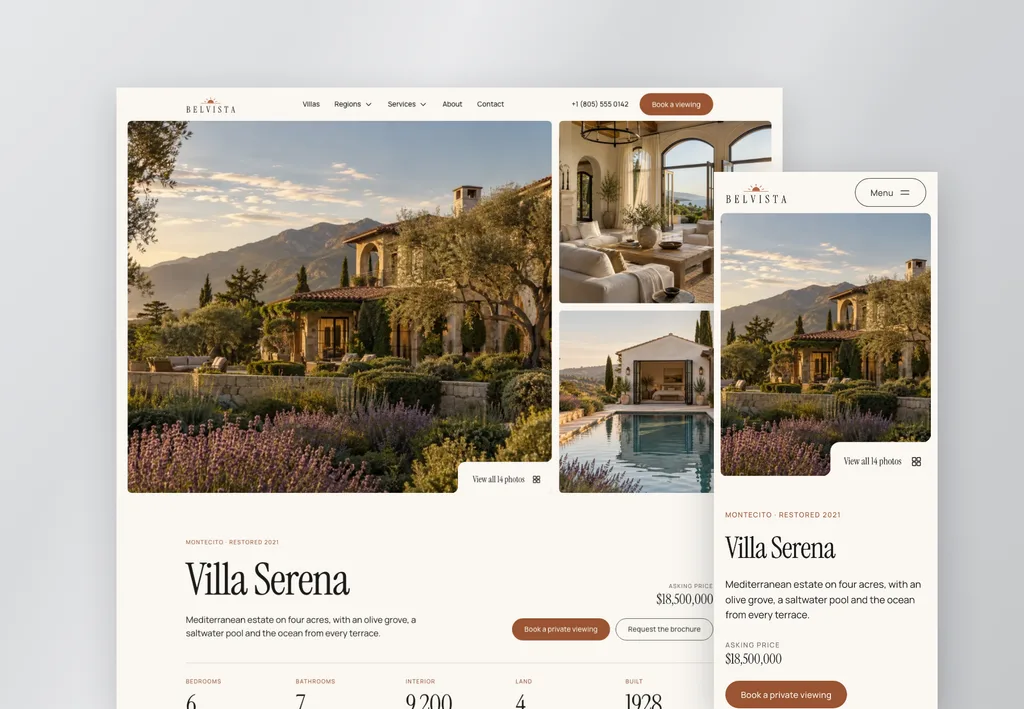
Belvista
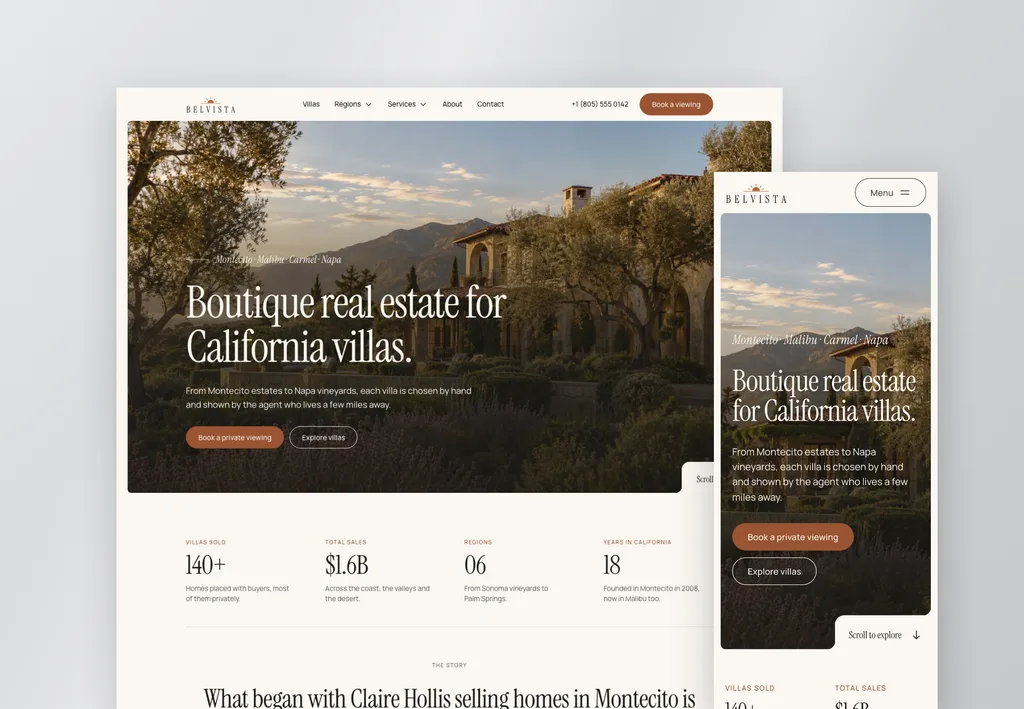
An editorial, image-led site. Villa listings, villa pages with photo galleries, region guides, a valuation request page, open houses and a journal. It’s the one I’d pick for anything where the photos do the selling.
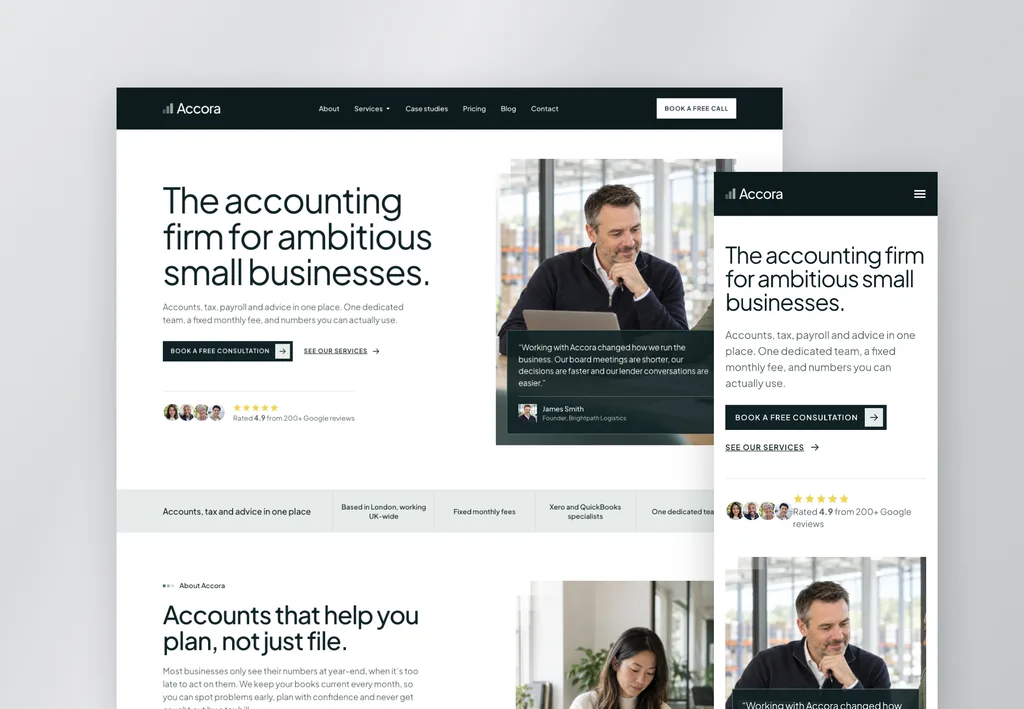
Accora
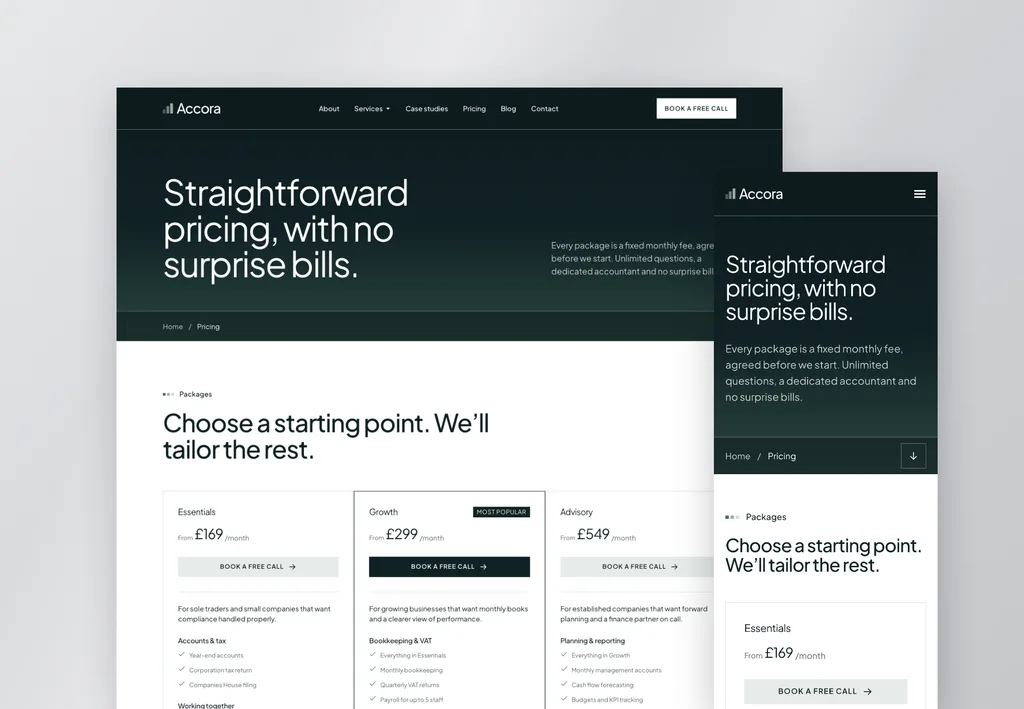
Professional and modern, with clear pricing and trust signals. Two home page layouts, services and service detail pages, pricing, case studies, team bios in popups, a blog and a page for booking a consultation.
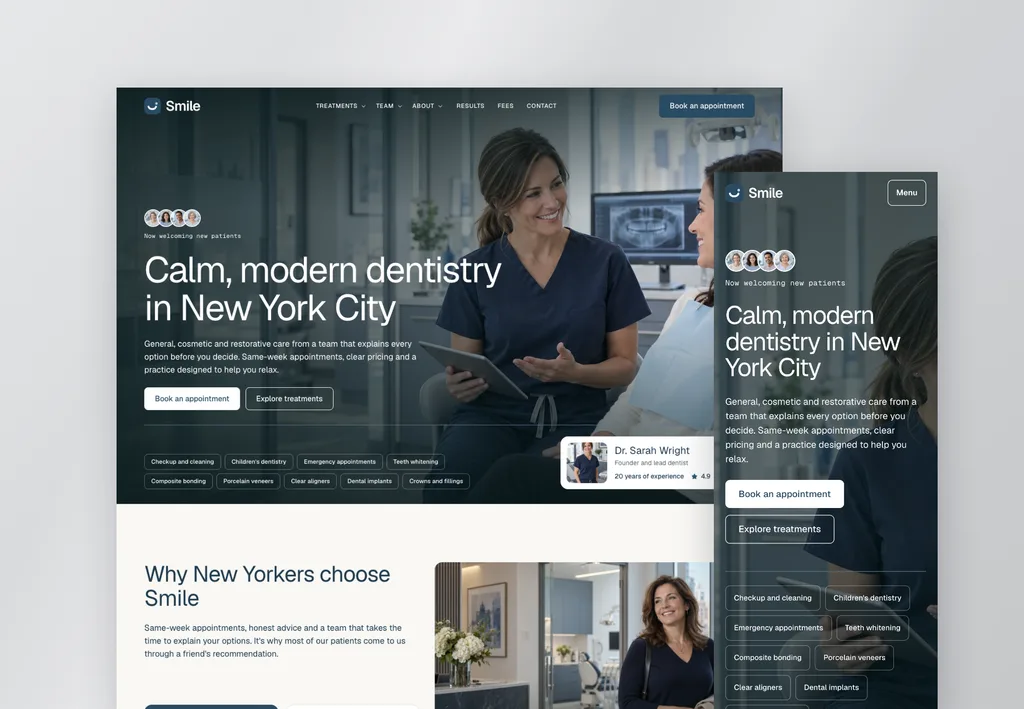
Smile
Calm and modern, built to win new patients. Treatments and treatment detail pages, fees, results, the team, FAQs, a mega menu and a booking form.
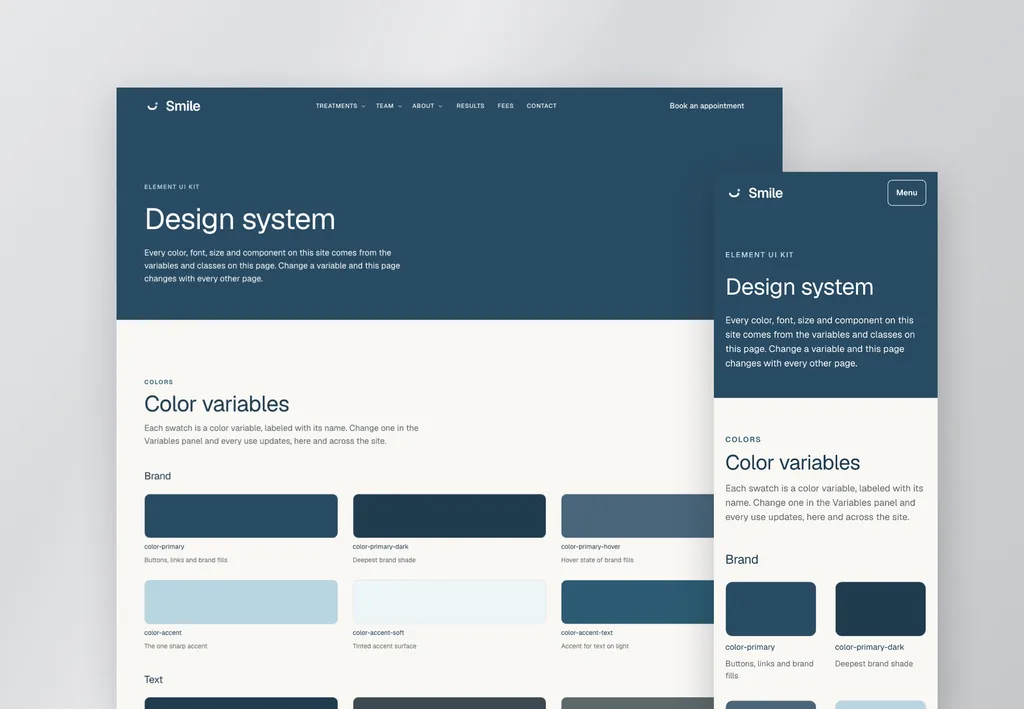
Every template also has a design system page that lays out its colors, type and buttons in one place, so you can see what you’re working with before you change anything.
How do the template styles work?
Each template ships with three design systems, and switching between them changes the whole look in one import: colors, fonts and corners. The pages and layouts stay exactly as they are. Here’s Belvista in all three.
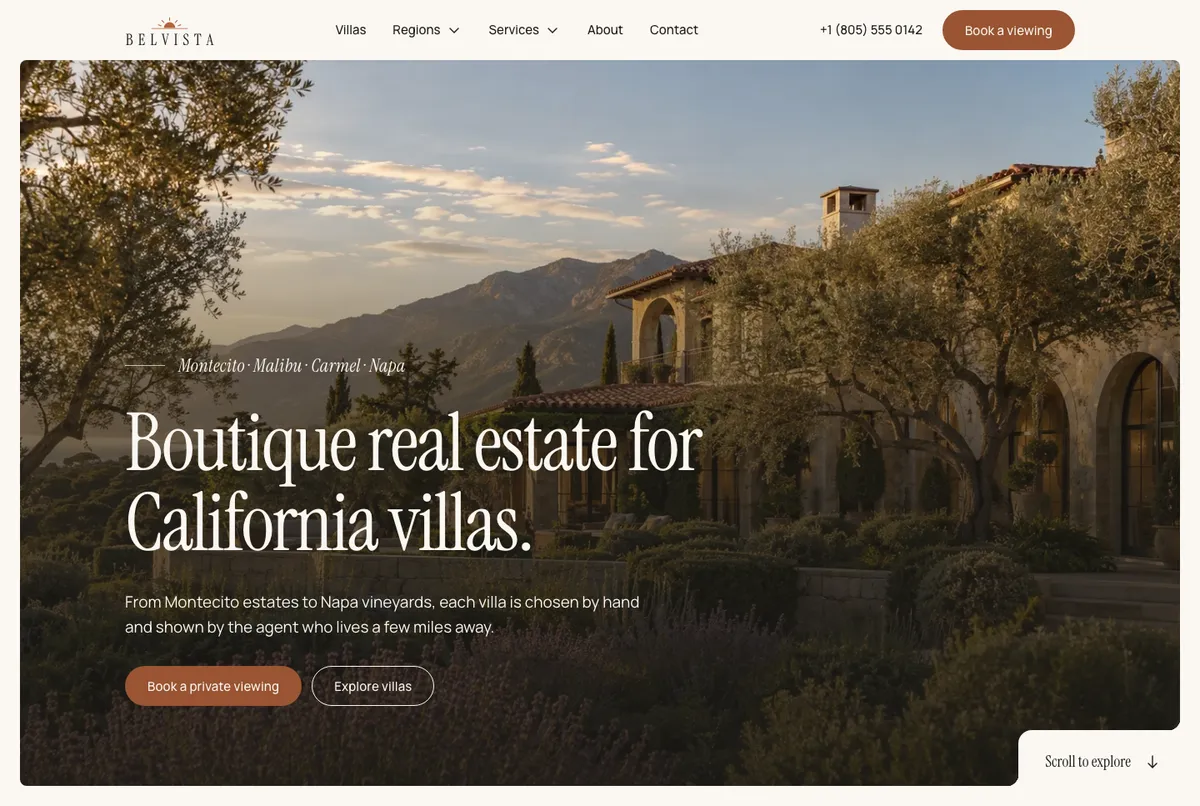
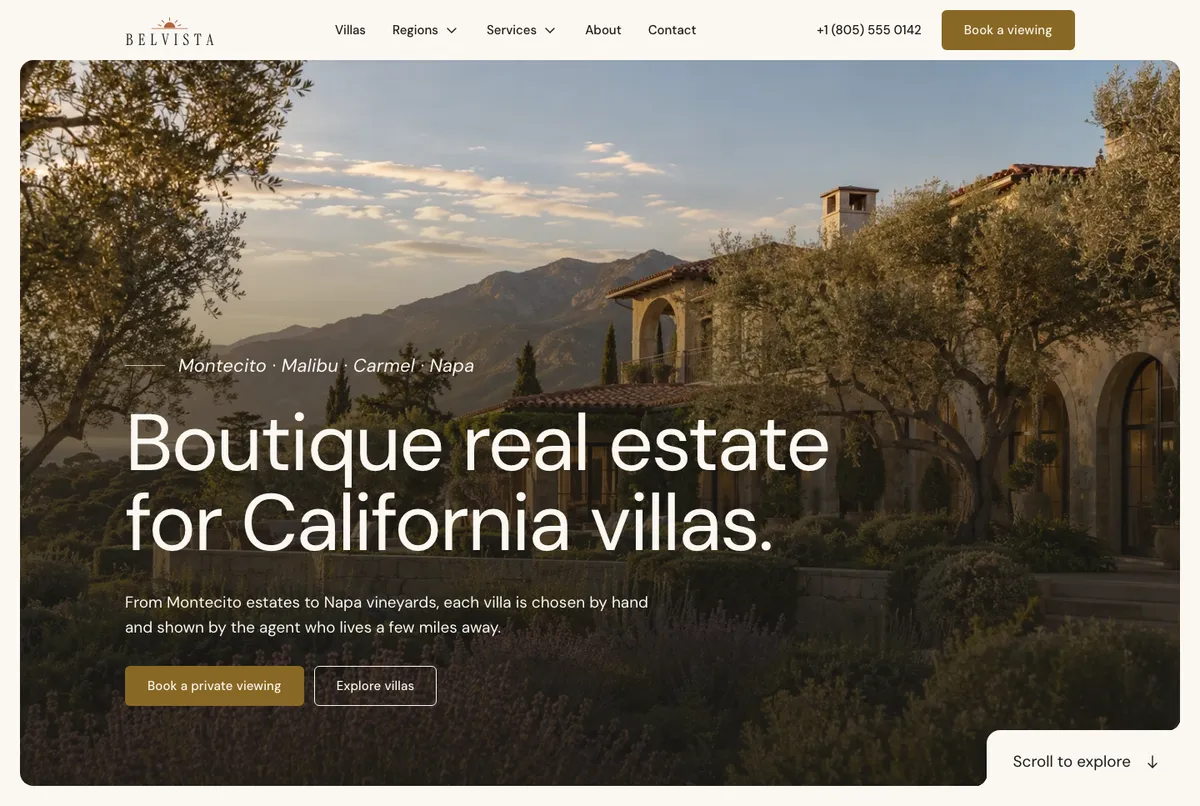
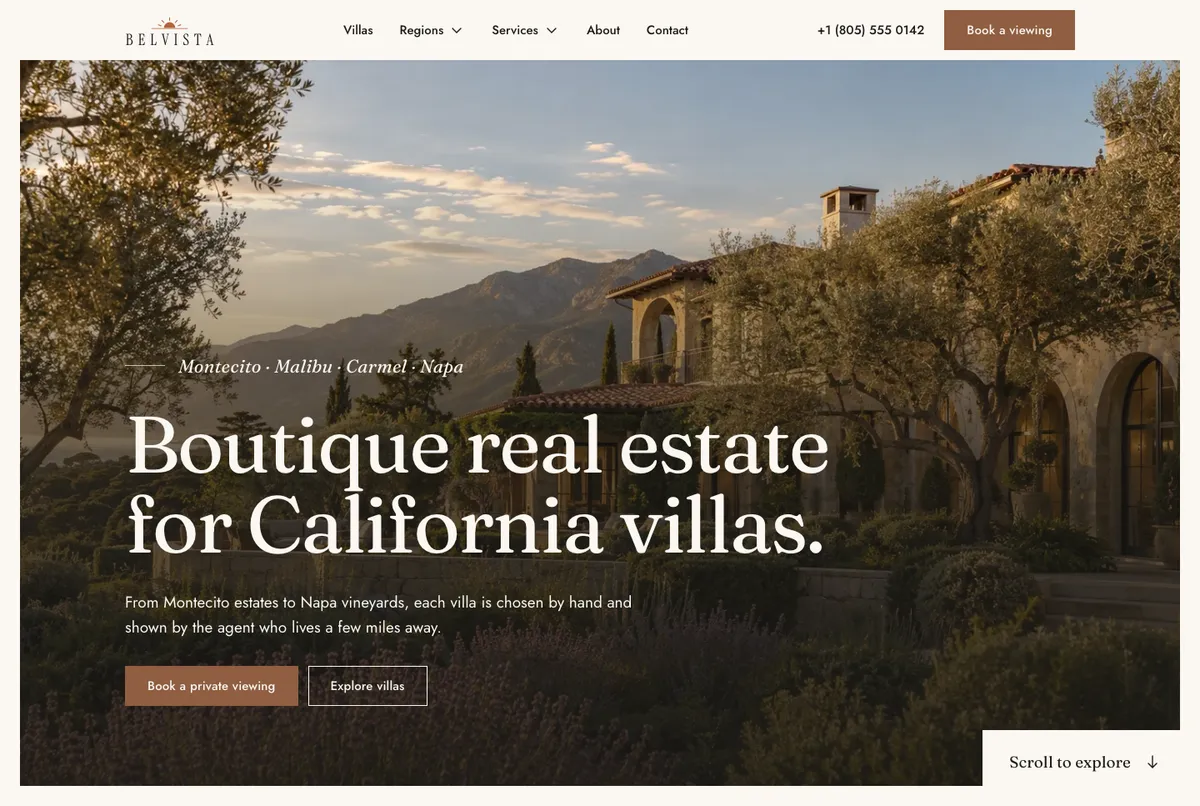
This is why I care so much about the design system. When the look lives in Variables and Classes, rebranding a site is changing a handful of values, not restyling 16 pages one element at a time. It’s also what keeps an AI from drifting: it uses the classes that are already there instead of making up new values.
What comes with each template?
Each template is a complete Elementor V4 website with everything you need to import it, set it up, switch its look between three styles and hand it to an AI tool if you want to. It’s the whole site, not a pack of pages: every page, popup, header and footer comes in the kit. Every download includes:
- The Elementor kit with every page, popup, header and footer
- A setup pack and the free Element UI Import Helper plugin, which finishes the import (I built it because kit import on its own loses V4 media and components, as I wrote in my Elementor 4.3 post)
- The design system, plus the three styles to switch between
- An agent guide (
AGENT-GUIDE.md) - A Start Here PDF
The agent guide is what makes these AI-ready. It explains the template’s design system, page structure and editing rules, so an AI tool connected through the Elementor MCP, such as Claude, Codex or Cursor, edits the site without breaking the design. AI is optional, though. Every template is a normal Elementor site you can edit by hand, and plenty of people will.
Who are the V4 templates for, and who should skip them?
Everyone who builds with Elementor: freelancers, agencies and owners building their own site. If you’re starting a site in one of these industries, or one close to it, a template takes you past the hardest part.
The one time I’d tell you not to buy one: if you don’t understand design system Variables and Classes yet. You don’t need to be an expert, a basic understanding is enough. But the templates are built on them, and you’ll get far more out of a template once you know how a class and a variable fit together. My guide to Elementor Classes and Variables covers that in one read, and the Elementor V4 overview explains the editor around them.
How does buying a V4 template work?
Each template is a one-time purchase with free updates forever. One purchase covers your own sites and your clients’ sites, with no per-website limit. They aren’t part of the Pro membership. Eradica, ZenPay and Insura are included in Pro. Other templates are one-time purchases with free updates.
You can click through every page on the live demos before you buy: Belvista, Accora and Smile. Each template page lists everything in the download and what it needs to run. If you’d rather build page by page instead, the V4 components paste into any V4 site with their own local styles. I wrote up when to paste a component and when to prompt an AI agent separately.
Frequently asked questions
Can I build an Elementor site with AI from a blank page?
You can, and the Elementor MCP will happily build structure from a prompt. It just takes a long time to make it look good: at least 20 hours in my own builds with Claude, against about 20 minutes to import and rebrand a template.
Do I need AI to use the Elementor V4 templates?
No. Every template is a normal Elementor site you can edit by hand. The agent guide is there for when you want an AI tool to do the editing.
Which AI tools work with the templates?
Any AI tool you connect through the Elementor MCP, such as Claude, Codex or Cursor. The agent guide that ships with each template is written so those tools edit the site without breaking the design.
Are the V4 templates included in Pro?
No. Eradica, ZenPay and Insura are included in Pro. Other templates, the V4 ones included, are one-time purchases with free updates.
Can I use a V4 template on client sites?
Yes. One purchase covers your own sites and your clients' sites, with no per-website limit.